Setting Up Mobile Proxies Using a Mikrotik Router
I provide a service for setting up mobile proxies on your own equipment.
Mobile proxy setup scheme

Equipment and Additional Components
- Mikrotik router. Example: Mikrotik RB2011UiAS-2HnD-IN 1 pcs (a cheaper model can be used too, e.g. Mikrotik RB951Ui-2nD)
- Router TP-LINK TL-MR3020 pcs. (one per 4G modem, one proxy per modem). Note: TP-LINK TL-MR3020 has been discontinued!
- 4G modem Huawei E3372h. (one per mobile proxy)
- Windows-based computer (laptop works fine)
- 2 ethernet cables
- Switch with 24 ports — if you plan to run up to 24 mobile proxies (an 8-port switch also works)
- A static IP address from your ISP (required if you need remote access from the Internet)
Equipment costs:
Mikrotik RB951Ui-2nD 1 pcs — 3000 RUB
TP-LINK TL-MR3020 — 1300 RUB
4G modem Huawei E3372 — 2500 RUB (can be found for ~1600 RUB in bulk of 10+ on Avito)
With an 8-port switch you can run 8 mobile proxies at minimum cost:
3000 + 1300×8 + 1600×8 = 26,200 RUB (~3275 RUB/unit)
Setup fee and tariff are not included.
Ongoing cost: mobile data plan at your carrier rate (300–1000 RUB/month)
As you can see, the initial investment comes to ~3275 RUB/unit (+tariff), which is equivalent to one month of renting a private proxy channel.
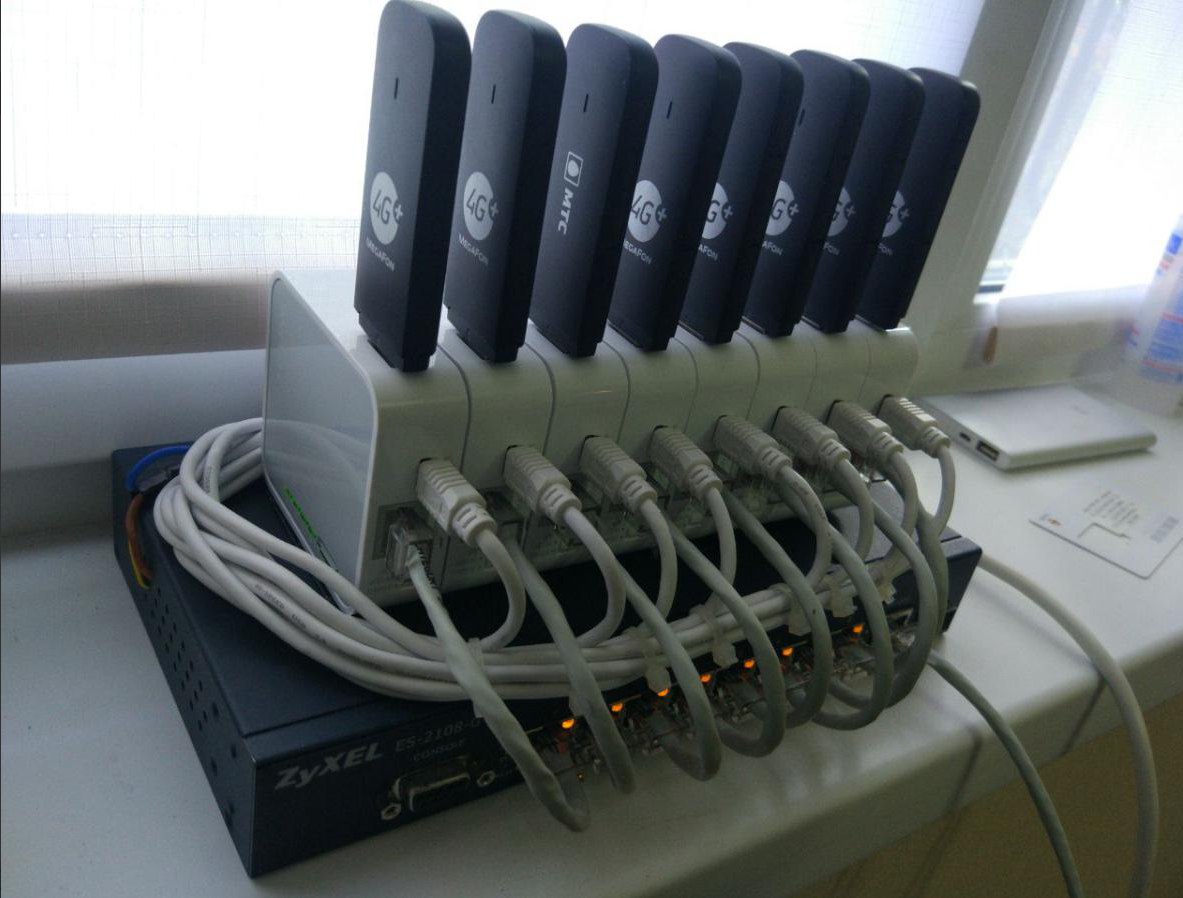
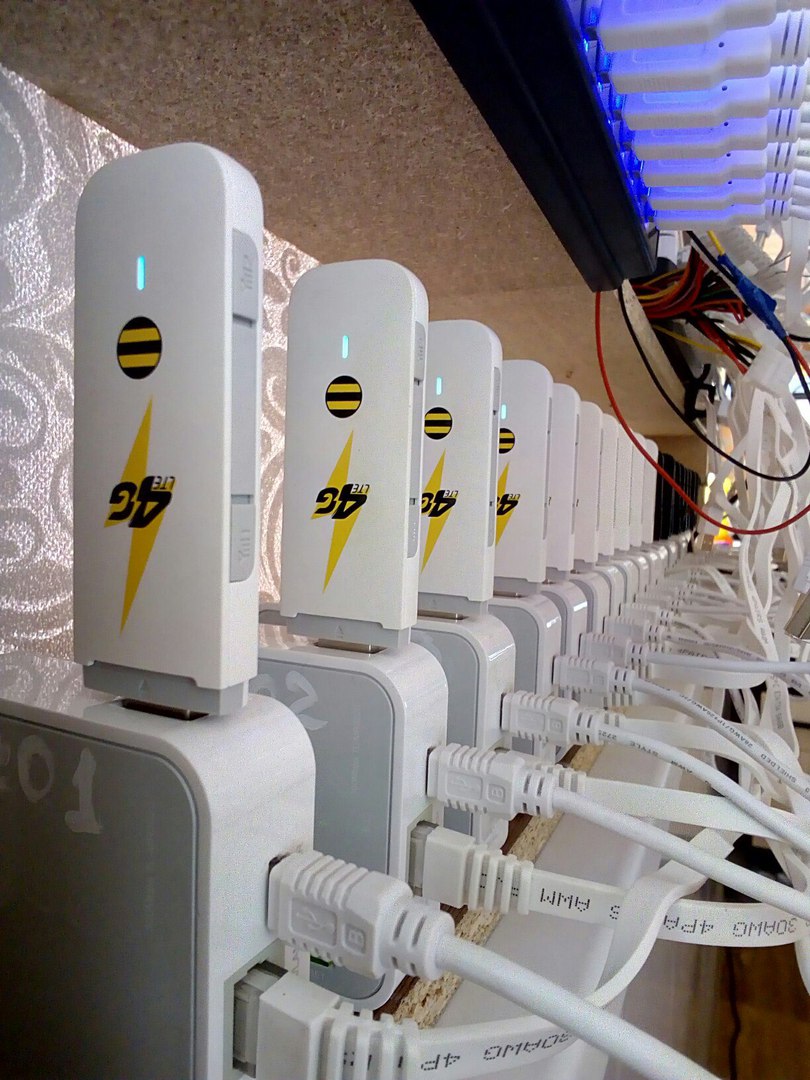
Example "station" of mobile proxies

Internet connection requirements:
To use the proxies remotely (from the Internet) — for example, if you use cloud services or have software running on a separate server — you need a static ("white") IP address.
Check with your ISP or follow the relevant instructions on how to find out whether you have a static or dynamic IP.
If you plan to use the proxies locally — on the same computer or another device on the same local network — you do not need a static IP address.
Equipment connection diagram for setting up mobile proxies

Frequently Asked Questions
How does the proxy setup process work?
After you contact me and we clarify the equipment details, you purchase the equipment.
I then send you instructions for connecting the routers and switches, flashing the modems and unlocking them if needed.
We agree on a time for the setup. Remote configuration is done via TeamViewer and Skype.
How is the IP address changed?
IP rotation is done by calling the modem web interface via API.
Currently, IP rotation by a custom time interval is supported. Reconnection is handled by a ZennoPoster template. There is also a Windows EXE app!
Can other 3G/4G modem models be used?
I personally configure Huawei E3372 4G modems and have not worked with other models. If you want to experiment with other options, we can try. The key requirement is a HiLink firmware with a web interface!
How stable is the system? Are there any freezes?
The system has proven to be very stable. No freezes observed.
What is the speed on mobile proxies?
It depends on signal strength, which can be improved or boosted if desired. In my case, speed ranges from 3 to 10 Mbit/s.
What are mobile proxies used for?
Mainly for social media bots: boosting followers and likes, collecting from Bitcoin faucets, etc.
Does proxy quality (trustworthiness) depend on geo-location?
Absolutely! During testing we found that one proxy from a specific geo-location could handle 30 Instagram accounts, while a proxy from a different location could handle 100 accounts.
What kind of computer is needed, and does it need to be dedicated?
Any regular computer will do (even the one you use daily — the proxies won't interfere with your work), with no high-performance requirements. It just needs to run Windows 10 with a bit of free RAM. A laptop is fine for running 10 proxies.
However, if you plan to run a large number (50+ proxies), you will need a more powerful desktop.
Keep in mind that the computer running the proxies must be always on if you need constant access. Set it to maximum performance mode and disable sleep mode!
What is the price for your services?
Base setup price is 5000 RUB. Other details are discussed individually — contact me via DM.
Can I resell these proxies?
Absolutely (proxies with authentication)! You can use them as you wish. It is possible to split access by website (social networks), and you can sell proxies to different clients for different purposes. The only limitation is the modem bandwidth.
You can also use the proxies for your own needs and sell access to specific sites to other clients.
Example of mobile proxies in action
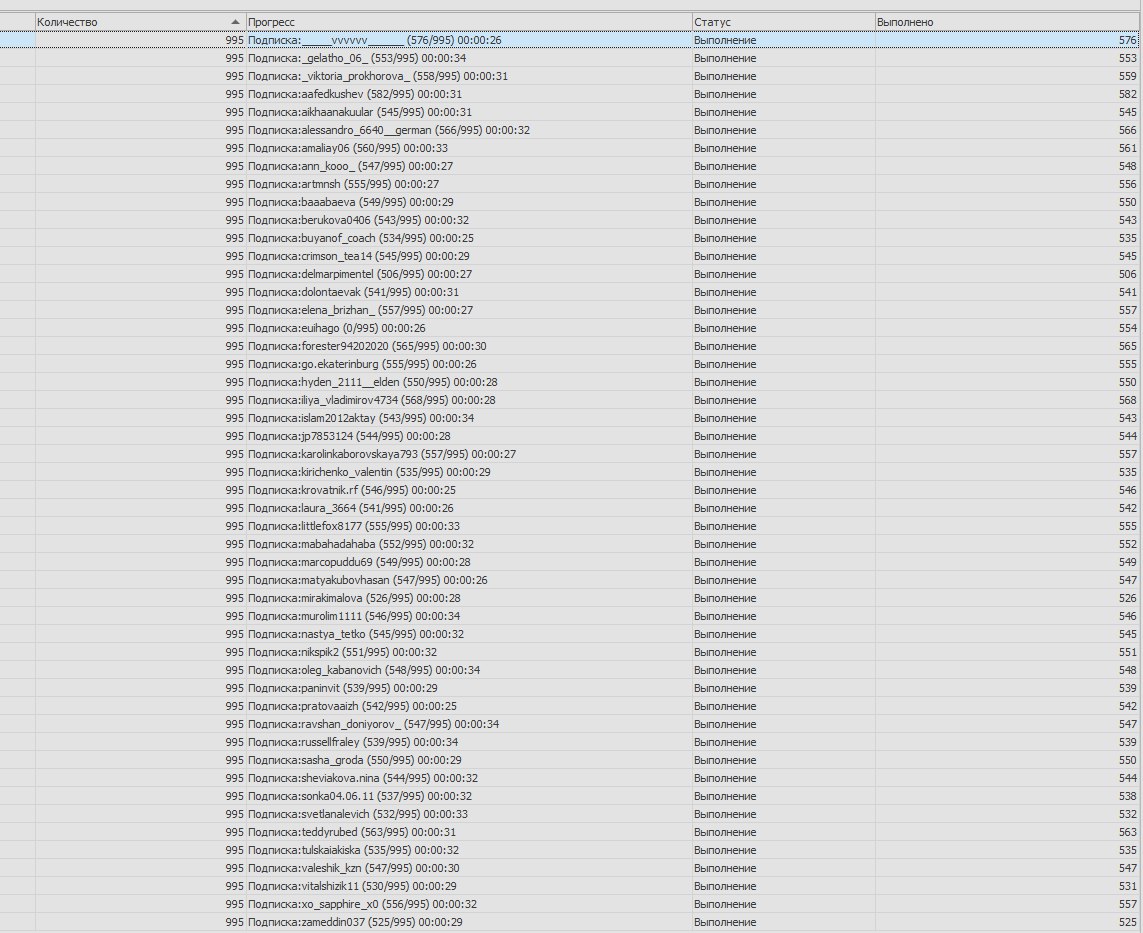
As a final note, here is a screenshot of automation software running an Instagram subscription campaign using one mobile proxy set up with this scheme.
100 accounts running on 1 mobile proxy.
Accounts used — brute-force only.
Good brute store at http://brutalin.deer.io/
Please do not ask about Instagram-related questions. The tests were not conducted by me!
For questions about mobile proxies and their setup, message me on Telegram: @residentmobile
If this all seems too complicated, you can simply buy ready-made proxies at https://airsocks.in
Currently, private channels (individual dynamic proxy channels) work fine at 2800 RUB/month.
Testing shared or trial proxies makes no sense for this purpose!
Windows software for modem reconnection and IP rotation
Master Modems

The software can be installed on the same PC where proxies are running, or remotely on any PC.
A text file specifies the proxy addresses for all modems, the IP rotation interval in minutes, and the modem operating mode (UMTS or LTE).
The software works as follows: for each modem proxy, it sends a request to that modem's web interface.
The web interface is controlled via web API.
Video Review of the Mobile Proxy "Farm"
Additional Information
Setup is possible on both Windows and Linux!
Depending on your desired Passive OS Fingerprint (POF), the setup is done on the corresponding operating system.
It is also possible to combine both options: configure some modems on Windows and run others on Linux using a virtual server in VMware Workstation.
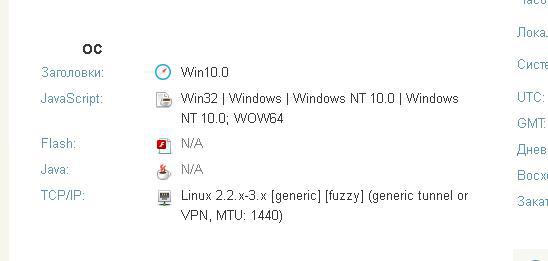
On Linux, there is also an option to spoof the POF as Linux 2.2.x-3.x [generic] (generic tunnel or VPN, MTU: 1440) — which essentially means Android.
To verify this, open https://whoer.net/ (extended version) on an Android device connected via a SIM card.
Spoofing for other operating systems should become possible soon.
Linux setup pricing differs from the base price. Feel free to ask any questions via DM at https://vk.com/borisbaktashev
On-demand IP rotation (via URL) can also be configured as an add-on!
For questions about mobile proxies and their setup, message me on Telegram: @residentmobile